CoreDrive
A downloadable tool for Windows
Tells you in plain words when to back up — before your disk dies.
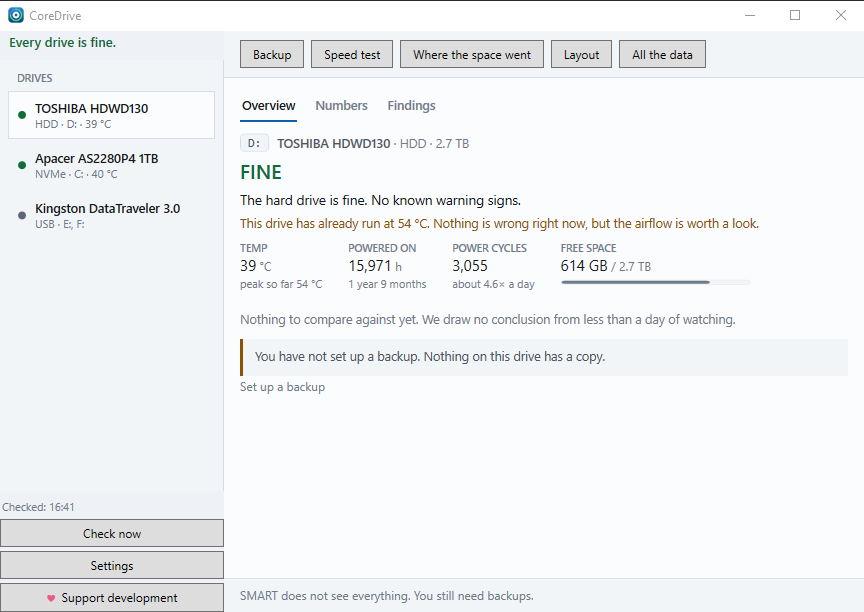
Three states: Fine · Back up now · Replace. CoreDrive sits in the Windows tray, watches your drives, and speaks up only when there is something to do.
Every disk tool shows the highest temperature a drive has reached — 54, in a table cell. CoreDrive says: “This drive has already run at 54 °C. Nothing is wrong right now, but the airflow is worth a look.” Not more data, but the same data plus what it means — and always what to do next.
The guard
- Reads SMART without administrator rights — SATA, NVMe, and drives in USB enclosures
- Never shows a “health %” on a hard disk: “98%” is false comfort
- Trends, not snapshots: a single reading never changes the verdict
- Lets your hard disk sleep — it doesn’t wake an idle spinning disk every few minutes
- Notifies you when a state changes, and reminds you weekly while something still needs doing
Findings you can act on
SATA link speed · TRIM · write cache · partition alignment · running out of space · “when will it be full?” · CRC errors point at the cable, not the disk · “why is my 2 TB disk only 1.81 TB?”
Backup, built in
- Every snapshot restores on its own, yet only changes are copied
- Folder, network share, SFTP, WebDAV, FTP/FTPS or S3 — passwords stay in Windows Credential Manager
- On a schedule, and automatically when a disk starts getting worse
- Optional encryption, a second copy (mirroring), verification at the destination, resumable runs
- Restore works even after a fresh Windows install, without your old settings
What it deliberately does not do
- Never sends a write command to a disk — it reads, it doesn’t “repair”
- Never asks for administrator rights on its own
- No telemetry, no ads, no account, no bundled offers
Install
setup.exe installs for your user only — no administrator rights needed. portable.zip runs without installing. Windows 10 22H2 or Windows 11, 64-bit.
The installer is not code-signed yet, so Windows SmartScreen may warn you. Click More info → Run anyway.
CoreDrive is free and stays free. If it saved your files or your time, a donation keeps the next version coming — thank you!
Magyarul
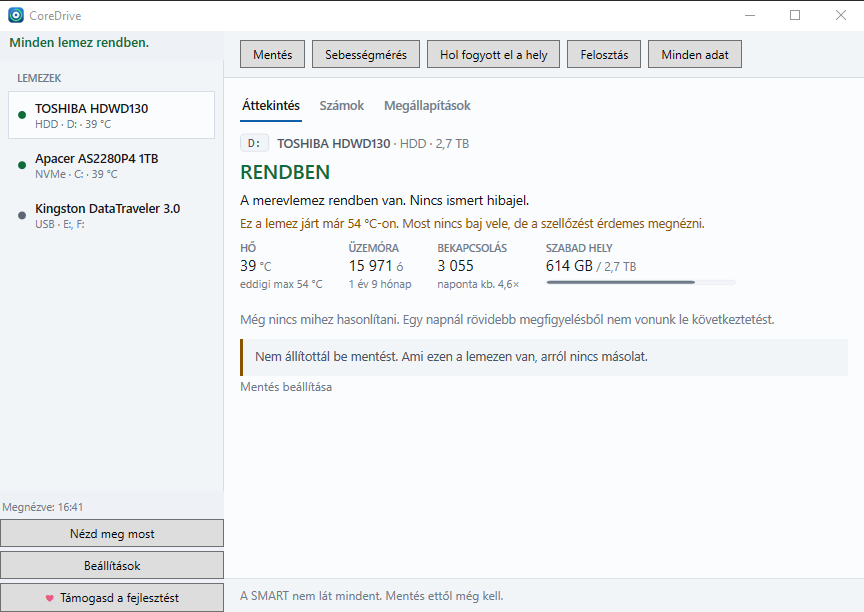
Lemezfigyelő a Windows tálcáján, amely érthetően megmondja, mikor kell mentened — még mielőtt tönkremegy a lemez. Három állapot: Rendben · Ments most · Cseréld.
A legtöbb lemezdiagnosztikai program kiírja, mekkora volt a lemez legmagasabb mért hőmérséklete: egy 54-es szám egy táblázat cellájában. A CoreDrive ezt mondja: „Ez a lemez már 54 °C-ra is felmelegedett. Most nincs vele baj, de érdemes megnézni a szellőzést.”
- Rendszergazdai jog nélkül olvassa a SMART-adatokat — SATA-, NVMe- és USB-házas lemezről is
- Merevlemeznél soha nem ír ki „egészség-százalékot”, mert a „98%” hamis biztonságérzetet ad
- Észrevételek, amelyek alapján tenni is tudsz valamit: kábelhiba, fogyó hely, „mikor telik meg?”
- Beépített mentés mappába, hálózatra, SFTP-, WebDAV-, FTP- vagy S3-tárhelyre — és magától is elindul, ha egy lemez romlani kezd
- Nem gyűjt adatot, nincs benne reklám, nem kell hozzá fiók
A setup.exe rendszergazdai jog nélkül, csak a saját felhasználódnak telepít; a portable.zip telepítés nélkül fut. Ha a SmartScreen figyelmeztet: További információ → Futtatás mindenképp.
A CoreDrive ingyenes, és az is marad. Ha hasznos volt, letöltéskor támogathatod a fejlesztést — köszönöm!
Download
Click download now to get access to the following files:
Leave a comment
Log in with itch.io to leave a comment.